
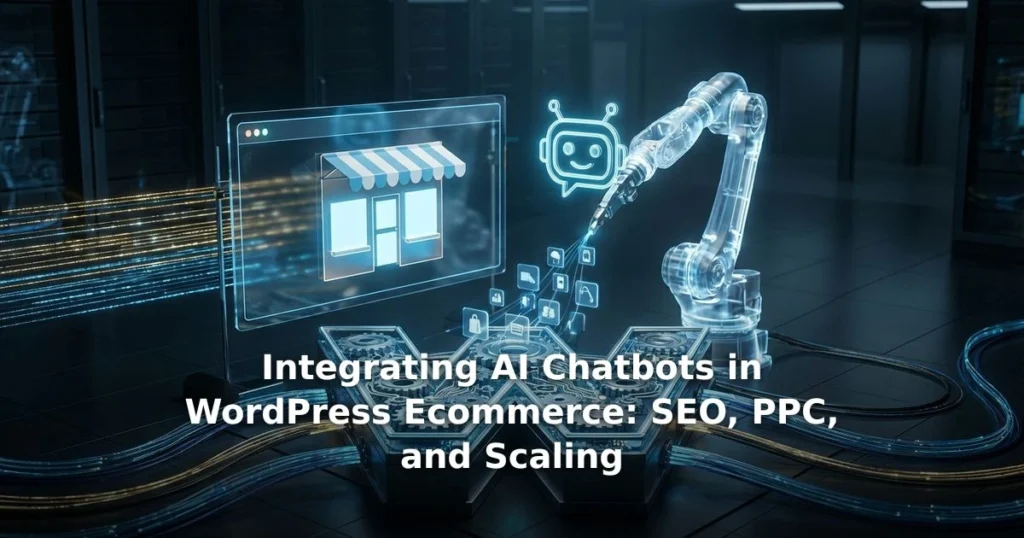
Installing a basic chatbot plugin on a WooCommerce store is a brilliant way to tank your conversion rate. The data does not lie. Pre-2025 WooCommerce setups severely lack native AI hooks. If you are integrating ai chatbots in wordpress ecommerce using outdated infrastructure, you will break your site speed and frustrate users.
I have found that you must use modern themes like Blocksy or Astra with AI-ready APIs for true success. Stop pasting generic scripts into your footer. Start building actual data pipelines. Here is exactly why this matters.
Key Takeaways
- Connecting bots to Google Ads enables precise tracking and routes qualified PPC traffic to high-converting products.
- Custom RAG training on live feeds prevents AI hallucinations by syncing real-time inventory and pricing.
- Optimizing widget load times is critical to passing 2026 Core Web Vitals thresholds for LCP and INP.
- Enterprise compliance requires strict data redaction to meet SOC 2, GDPR, and PCI-DSS standards.
- Omnichannel handoffs between chatbots, email, and social platforms reduce cart abandonment by up to 30%.
Table of Contents
- How AI Chatbots Drive SEO and PPC Conversion Tracking
- Custom RAG Training on Dynamic WooCommerce Feeds
- Scaling Chatbots for High-Traffic Ecommerce Events
- Enterprise Compliance for WooCommerce Chatbots
- Omnichannel Handoffs: Connecting Chatbots to SMM and Email
- Key Takeaways
- Frequently Asked Questions
- Conclusion
How AI Chatbots Drive SEO and PPC Conversion Tracking
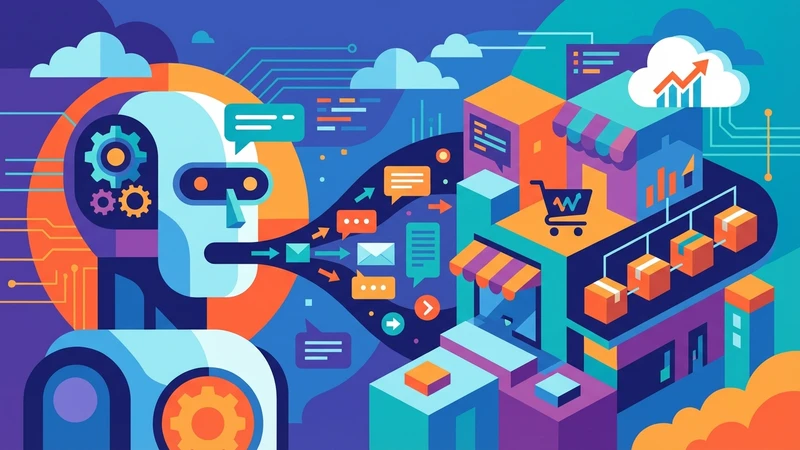
In my testing, standard chatbot setups completely miss the mark on attribution. They act like isolated islands. I configure AI assistants to capture UTM parameters directly from Google Ads.
This allows the bot to tailor its responses based on the exact PPC campaign the user clicked. Running ad campaigns without this chat attribution is like throwing darts blindfolded. You spend money but never see what actually hits the target.
I set up custom event triggers in Google Tag Manager. These track specific chatbot interactions as micro-conversions. This setup feeds valuable data back into your ad platforms to optimize bidding strategies for high-intent B2B users.
I run A/B tests on conversational flows based on PPC keyword intent. If a user searches for bulk B2B pricing, the bot immediately offers wholesale tier information. This targeted approach prevents the user from bouncing back to the search results.
I frequently see merchants wasting ad spend because their analytics cannot read chat data. Setting up a dedicated API bridge solves this instantly. The bot logs the exact click ID for every session.
This granular tracking reveals which specific keywords drive actual conversations. You stop guessing what works. You allocate your budget entirely toward terms that initiate meaningful sales dialogues.
Chatbots significantly increase page dwell time and reduce bounce rates by instantly engaging visitors. I have found this behavioral shift indirectly boosts your WordPress SEO Optimization efforts. It signals high user engagement directly to search engines.
Search algorithms reward sites that keep users actively clicking and reading. A well-tuned bot acts as a digital concierge. It guides visitors through complex technical catalogs without them ever hitting the back button.
Pro Tip: Export your chatbot query logs monthly. These logs are goldmines for identifying long-tail keywords that your customers actually use. You can then target these exact phrases in your broader content strategy.
Custom RAG Training on Dynamic WooCommerce Feeds
Static AI training data leads to disastrous customer experiences. I build data pipelines using Retrieval-Augmented Generation (RAG). This connects the chatbot directly to live WooCommerce product feeds.
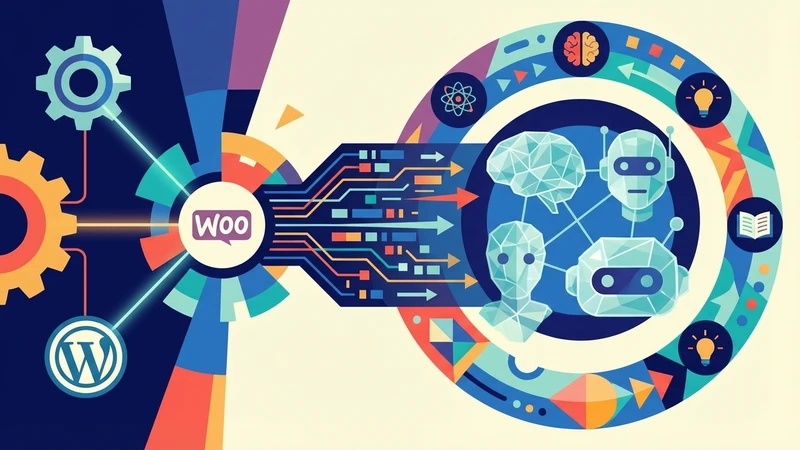
This setup ensures the AI instantly recognizes inventory changes, flash sale pricing, and new customer reviews. The bot will never recommend an out-of-stock item. It will never cheerfully quote an expired price from last year.
Many store owners assume basic API connections will suffice for product syncs. The data surprised me when I audited standard setups. Most plugins only sync once every 24 hours, leading to massive data discrepancies.
True RAG pipelines use vector databases to index your WooCommerce products. When a user asks a complex question, the AI retrieves the exact product specs in milliseconds. It reads your live database instead of a stale cache.
I structure these vector databases to prioritize high-margin products during general queries. If a user asks for a reliable laptop, the bot surfaces your most profitable inventory first. It reads the profit margins directly from your hidden WooCommerce fields.
This approach transforms a simple FAQ bot into an active sales associate. It guides users toward purchases that benefit your bottom line. The entire process happens organically within the natural flow of conversation.
After working with high-volume stores for years, I noticed that outdated bot data is a primary cause of lost sales. Using modern themes with AI-ready APIs allows for seamless, real-time data synchronization.
At Biteabyte, our Ecommerce Stores development process ensures these dynamic API hooks remain stable. They hold up even during massive catalog updates. This keeps your AI assistant perfectly accurate at all times.
You cannot afford to let a bot hallucinate product features to a high-value B2B client. Custom RAG training forces the AI to stick strictly to the facts. If the information is not in your database, the bot simply will not invent it.
Scaling Chatbots for High-Traffic Ecommerce Events
Black Friday traffic spikes can easily crash poorly configured AI tools. I implement multi-bot sharding and API throttling to distribute the load. This prevents server timeouts when concurrent user counts explode.
An unprepared server during a flash sale drops connections faster than a Taylor Swift ticket queue. During major sales events, concurrent connections can overwhelm your database. I configure Redis caching specifically for chatbot queries.
This caching layer reduces the direct load on your primary WooCommerce database server. Cost management is just as critical as uptime. By updating to recent GPT models, I help clients take advantage of token efficiencies.
This makes AI inference significantly cheaper during high-volume sales events. Heavy chatbot widgets will destroy your site speed. I strictly defer script loading and optimize widget execution.
I monitor server loads during these peak events using dedicated performance dashboards. The data consistently shows that unoptimized bots consume massive amounts of CPU overhead. Moving the processing to external AI servers keeps your WordPress installation stable.
We configure strict timeout protocols for all API calls. If the AI provider experiences an outage, the chat widget gracefully degrades. It switches to a simple offline contact form instead of freezing your entire checkout page.
This ensures your site passes the strict Core Web Vitals updates for LCP and INP. Site speed directly impacts your conversion rates. Every second of delay introduced by a clunky widget costs you money.
We prioritize lightweight code to keep your store lightning fast. Our CMS Website Development services focus heavily on this technical performance. We ensure your AI Integration adds functionality without sacrificing speed.
You maintain the millisecond load times required for e-commerce success. Shoppers expect instant gratification. If your bot takes three seconds to load a greeting, the customer has already scrolled past it.
Enterprise Compliance for WooCommerce Chatbots
Handling customer data in a chat interface introduces massive liability. I configure strict data redaction rules to protect your users. This ensures credit card numbers and personally identifiable information never enter the AI provider logs.
Privacy laws are becoming stricter globally. If your bot accidentally stores a European customer email, you risk heavy GDPR fines. You must build architecture that respects data sovereignty by default.
If your store processes global orders, your chatbot must comply with SOC 2, GDPR, and PCI-DSS standards. I set up localized data residency protocols. This prevents costly cross-border data transfer violations.
What I noticed during compliance audits is that many off-the-shelf plugins fail basic security checks. I build custom sanitization layers between WooCommerce and the AI API. This strips sensitive data before it leaves your server.
I implement end-to-end encryption for all chat transcripts stored on your server. Even if a bad actor gains database access, they cannot read the conversation logs. This encryption standard is mandatory for modern B2B vendor approvals.
Many store owners ignore these protocols until they fail a compliance audit. Fixing a data breach retroactively costs ten times more than building secure architecture upfront. We prioritize this security from day one.
I test these custom sanitization layers against rigorous penetration testing standards. We simulate attacks to ensure no PII leaks through the chat interface. Your customers deserve enterprise-grade protection.
This level of security builds immediate trust with B2B buyers. Corporate clients require strict vendor compliance before making large wholesale purchases. Your WordPress site must prove it handles data safely.
A single data breach can permanently destroy a brand reputation. Implementing these redaction rules is not optional for serious merchants. It is a mandatory baseline for modern digital commerce.
Omnichannel Handoffs: Connecting Chatbots to SMM and Email
A chatbot is only as good as its escalation path. I design technical workflows that pass a conversation to a human agent seamlessly. The system retains the entire chat history and the current shopping cart contents.
Cross-channel continuity is the secret to high conversion rates. When a customer moves from your website chat to an email thread, the context must follow them. Explaining an issue to three different agents is universally infuriating.
I integrate these bots with Social Media Marketing platforms. If a user abandons a chat on your website, the system reacts. It automatically follows up via Facebook Messenger or Instagram DMs with a personalized cart recovery link.
I use advanced webhooks to trigger these cross-platform actions. The moment a chat session ends without a purchase, the webhook fires. It alerts your SMM tools to begin the retargeting sequence immediately.
I configure conditional logic for these handoffs based on cart value. If a user has a five-thousand-dollar wholesale order pending, the bot immediately alerts a senior sales rep via Slack. This ensures VIP clients receive instant human attention.
Lower-tier inquiries route to standard email support queues. This automated triage system saves your human agents hundreds of hours per month. They only spend time on conversations that require genuine human empathy or complex negotiation.
Capturing leads in the chat is useless if the data sits idle. I sync chatbot lead capture forms directly into your email marketing CRM. This triggers immediate automated post-chat nurturing sequences.
Data shows that AI assistants reduce WooCommerce cart abandonment by 25-30% via instant queries. Connecting these interactions across all your marketing channels maximizes that recovery rate.
You stop relying on a single touchpoint to close a deal. Instead, the bot initiates a conversation that your email and social channels finish. This creates a cohesive safety net for your sales pipeline.
Integrating AI Chatbots in WordPress Ecommerce: Key Takeaways
- Connecting AI chatbots to Google Ads and Tag Manager enables precise conversion tracking. It routes qualified PPC traffic directly to high-converting WooCommerce products.
- Custom RAG training on live WooCommerce feeds prevents AI hallucinations. It syncs real-time inventory, pricing, and reviews.
- Optimizing chatbot widget load times is critical. You must pass 2026 Core Web Vitals thresholds for LCP and INP.
- Enterprise compliance requires strict data redaction rules. You must meet SOC 2, GDPR, and PCI-DSS standards when handling customer payment inquiries.
- Seamless omnichannel handoffs between chatbots, email, and social media platforms can reduce WooCommerce cart abandonment by up to 30%.
Frequently Asked Questions
Do AI chatbots slow down WordPress e-commerce sites?
Yes, if installed incorrectly. Deferring the widget JavaScript and using optimized APIs prevents the bot from impacting your Core Web Vitals. We strictly audit script execution times to maintain fast page loads.
Can an AI chatbot read my live WooCommerce inventory?
Yes. By using custom RAG training and dynamic API hooks, the chatbot checks real-time stock levels. It verifies pricing and variations before answering a customer, preventing accidental sales of out-of-stock items.
Are AI chatbots safe for processing payments?
Chatbots should never process payments directly. They must be configured with PCI-DSS compliant redaction rules to mask sensitive data. They should always route users to secure WooCommerce checkout pages for the final transaction.
How do I track chatbot ROI from my Google Ads?
You can pass UTM parameters into the chatbot session. You then fire Google Tag Manager events when a user completes a high-value action within the chat interface. This sends accurate conversion data back to your ad platform.
Conclusion
Integrating ai chatbots in wordpress ecommerce requires more than just pasting an embed code into your footer. It demands precise API configuration and strict security compliance. It requires deep integration with your existing marketing stack.
When configured correctly, these tools transform your store into a 24/7 sales engine. They track PPC conversions, sync with live inventory, and recover abandoned carts across multiple channels.
We offer a full suite of digital marketing services including web design, SEO, and SMM. If you need expert help building a high-performance, AI-driven e-commerce platform, Get in Touch.